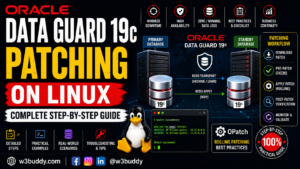
Oracle Data Guard 19c Configuration on Linux – Complete Step-by-Step Guide


Learn Oracle Data Guard 19c configuration on Linux with this complete step-by-step guide. Configure a physical standby database, redo transport, Data Guard Broker, and switchover.
A complete production-ready SOP for configuring Oracle Data Guard 19c from scratch. Covers primary database preparation, standby database creation using RMAN active duplicate, Data Guard Broker configuration, switchover, failover, reinstate, and full validation — with real commands, expected outputs, and consultant-level notes for both standard OFA and enterprise custom path conventions.
1. Document Info
| Item | Detail |
|---|---|
| Oracle Version | 19c (19.3+) |
| OS | Oracle Linux 7.x / RHEL 7.x or 8.x |
| DG Type | Physical Standby (most common in production) |
| Primary DB | ORCL (racnode1 or dbserver01) |
| Standby DB | ORCL_STBY (dbserver02) |
| Protection Mode | Maximum Performance (default — can change after setup) |
| MOS Reference | Doc ID 1349977.1 (Data Guard Setup Best Practices) |
| MOS Reference | Doc ID 2285557.1 (19c Data Guard Known Issues) |
| MOS Reference | Doc ID 1569287.1 (DG Broker Configuration) |
| Prepared By | Oracle DBA / Consultant |
2. Data Guard — Concepts You Must Know First
📝 What is Oracle Data Guard? Data Guard maintains a synchronized copy (standby database) of your primary database on a separate server. Every change made to the primary is automatically shipped to and applied on the standby. If the primary fails, the standby can take over as the new primary — providing disaster recovery and high availability.
Key Data Guard Terms
| Term | What It Means |
|---|---|
| Primary Database | The main production database that applications connect to and write data to |
| Physical Standby | An exact block-for-block copy of the primary. Redo logs are applied directly. Can be opened read-only (Active Data Guard). Most common type. |
| Logical Standby | SQL-applied standby. Can have different structure. Less common. |
| Redo Transport | The mechanism that ships redo log data from primary to standby |
| Log Apply | The process on the standby that applies the received redo to keep it synchronized |
| Switchover | Planned role reversal — primary becomes standby, standby becomes primary. No data loss. Both sides cooperative. |
| Failover | Unplanned role change — primary has failed. Standby takes over. May have data loss depending on protection mode. |
| Reinstate | After a failover, converting the old failed primary into a standby of the new primary |
| Active Data Guard | Licensed feature — opens the standby read-only for reporting while redo is still being applied |
| Snapshot Standby | Temporarily converts standby to a writable database for testing. Redo accumulates and is applied when converted back. |
| Data Guard Broker | Oracle’s management framework for Data Guard. Simplifies switchover/failover to single commands. Highly recommended. |
| DGMGRL | Data Guard Manager command line — the interface to Broker |
| Protection Mode | How much data loss is acceptable. Maximum Performance (default), Maximum Availability, Maximum Protection. |
| Standby Redo Logs | Special redo logs on standby used during real-time apply. Required for Maximum Availability and Maximum Protection modes. |
| FAL Server/Client | Fetch Archive Log — mechanism to request missing archivelogs from primary |
| DB_UNIQUE_NAME | Unique identifier for each database in a DG configuration. Primary and standby must have different DB_UNIQUE_NAME even if DB_NAME is same. |
Data Guard Protection Modes
| Mode | Data Loss Risk | Impact on Primary | When to Use |
|---|---|---|---|
| Maximum Performance | Possible (seconds to minutes) | None — async redo ship | Default. Good balance for most production systems. |
| Maximum Availability | Zero (with sync standby) | Minimal — waits briefly if standby unavailable | When zero data loss is required but availability matters |
| Maximum Protection | Zero | Primary shuts down if standby unavailable | Rarely used — extreme data protection requirement |
📝 Start with Maximum Performance during initial setup. Change to Maximum Availability after everything is stable and you have confirmed the network between primary and standby is reliable.
3. Environment Details and Path Conventions
| Item | Primary Server | Standby Server |
|---|---|---|
| Hostname | dbserver01 | dbserver02 |
| DB_NAME | ORCL | ORCL |
| DB_UNIQUE_NAME | ORCL | ORCL_STBY |
| ORACLE_SID | ORCL | ORCL_STBY |
| Convention A Oracle Home | /u01/app/oracle/product/19.3.0/dbhome_1 | /u01/app/oracle/product/19.3.0/dbhome_1 |
| Convention B Oracle Home | /oracle/RDBMS/19.31 | /oracle/RDBMS/19.31Standby |
| Convention A Oracle Base | /u01/app/oracle | /u01/app/oracle |
| Convention B Oracle Base | /oracle | /oracle |
| Listener Port | 1521 | 1521 |
| Data files location | +DATA or /u01/app/oracle/oradata | +DATA or /u01/app/oracle/oradata |
⚠️ IMPORTANT:
DB_NAMEis the same on primary and standby (ORCL).DB_UNIQUE_NAMEMUST be different (ORCLon primary,ORCL_STBYon standby). This distinction is critical — Data Guard usesDB_UNIQUE_NAMEto identify each member of the configuration.
📝 Convention B note: In enterprise environments with Convention B paths, the standby ORACLE_HOME (
/oracle/RDBMS/19.31Standby) is a separate directory from the primary ORACLE_HOME (/oracle/RDBMS/19.31). This allows independent patching. Oracle software must be installed in both homes before Data Guard configuration.
4. Pre-Configuration Checks
⚠️ IMPORTANT: Run all pre-checks before making any changes. Data Guard configuration is much easier to get right the first time than to fix a broken configuration.
4.1 — Verify Primary Database Is in ARCHIVELOG Mode
📝 Why? Data Guard works by shipping archived redo logs from primary to standby. If the primary is in NOARCHIVELOG mode, there are no archived logs to ship and Data Guard cannot function.
-- Connect to primary
sqlplus / as sysdba

set linesize 150
set pagesize 50
col name      for a12
col log_mode  for a15
col open_mode for a15

SELECT name, log_mode, open_mode
FROM   v$database;

-- Also confirm archiving is working
ARCHIVE LOG LIST;
What to look for: log_mode must show ARCHIVELOG. If it shows NOARCHIVELOG switch it now:
SHUTDOWN IMMEDIATE;
STARTUP MOUNT;
ALTER DATABASE ARCHIVELOG;
ALTER DATABASE OPEN;
ARCHIVE LOG LIST;
4.2 — Verify FORCE LOGGING Is Enabled on Primary
📝 Why? Some operations like direct path inserts can bypass redo logging (NOLOGGING). With FORCE LOGGING enabled, Oracle logs ALL changes regardless of NOLOGGING hints. This ensures the standby receives every change and stays fully synchronized. Without this, the standby can have corrupted blocks.
set linesize 150
set pagesize 50
col name          for a12
col force_logging for a5

SELECT name, force_logging
FROM   v$database;
What to look for: force_logging must show YES.
-- Enable if not already set
ALTER DATABASE FORCE LOGGING;

-- Verify
SELECT name, force_logging FROM v$database;
4.3 — Verify Primary Has Sufficient Redo Log Size
📝 Why? Redo logs that are too small cause frequent log switches. During a log switch, the primary must wait until the current redo is shipped to the standby before it can reuse the log. Small redo logs cause performance bottlenecks in Data Guard. Minimum recommended size is 200MB for most workloads.
set linesize 150
set pagesize 50
col l#      for 999
col status  for a12
col members for 999

SELECT group#  l#,
       members,
       bytes/1024/1024  size_mb,
       status,
       archived
FROM   v$log
ORDER BY group#;
⚠️ IMPORTANT: If redo log size is less than 200MB, resize them before configuring Data Guard. Small redo logs are one of the most common causes of DG performance issues.
4.4 — Check Primary DB_UNIQUE_NAME and DB_NAME
set linesize 150
set pagesize 50
col name           for a12
col db_unique_name for a20
col platform_name  for a30

SELECT name, db_unique_name, platform_name
FROM   v$database;
4.5 — Verify Oracle Software Is Installed on Standby Server
📝 Why? The standby server must have Oracle software (ORACLE_HOME) installed before you can create the standby database. Only software — no database created yet on standby. The database itself will be created by RMAN duplicate.
# On standby server (dbserver02) — as oracle user
ls -lh $ORACLE_HOME/bin/oracle
ls -lh $ORACLE_HOME/bin/sqlplus
$ORACLE_HOME/OPatch/opatch lsinventory | grep "Oracle Database"
⚠️ IMPORTANT: Oracle software version on standby must be IDENTICAL to primary. Same base version and same patch level. If versions differ, Data Guard will refuse to apply redo.
4.6 — Verify Network Connectivity Between Primary and Standby
📝 Why? Data Guard ships redo logs over the network. Both servers must be able to reach each other by hostname and the TNS port must be open. A network firewall blocking port 1521 between primary and standby is a very common issue.
# From primary server — ping standby
ping -c 5 dbserver02
ping -c 5 dbserver02.company.com

# Test port 1521 is reachable from primary to standby
telnet dbserver02 1521
# OR
nc -zv dbserver02 1521

# From standby server — ping primary
ping -c 5 dbserver01
nc -zv dbserver01 1521
4.7 — Check /etc/hosts on Both Servers
# Both servers must resolve each other by hostname
# Check on PRIMARY
grep -E "dbserver01|dbserver02" /etc/hosts

# Check on STANDBY
grep -E "dbserver01|dbserver02" /etc/hosts
Both /etc/hosts files must contain:
192.168.1.10   dbserver01.company.com   dbserver01
192.168.1.11   dbserver02.company.com   dbserver02
5. Primary Database Preparation
⚠️ IMPORTANT: All steps in this section are performed on the PRIMARY server unless stated otherwise. The primary database stays open and running throughout — no downtime needed for preparation.
5.1 — Enable Supplemental Logging (Recommended)
📝 Why? Supplemental logging adds extra information to redo records that makes log mining and logical standby more reliable. Recommended for all Data Guard configurations.
sql
-- Connect to primary
sqlplus / as sysdba

-- Enable minimal supplemental logging
ALTER DATABASE ADD SUPPLEMENTAL LOG DATA;

-- Verify
SELECT supplemental_log_data_min FROM v$database;
-- Should show YES
5.2 — Configure Standby Redo Logs on Primary
📝 Why? Standby Redo Logs (SRLs) are a special set of redo logs used by the standby database during real-time apply (where redo is applied as it arrives, not after archiving). SRLs must also be configured on the PRIMARY because during a switchover the primary becomes the standby and will need SRLs.
📝 How many SRLs? Rule: Number of SRLs = (Number of redo log groups + 1) per thread. For a single-instance database with 3 redo log groups, create 4 SRLs. Size must equal or exceed the size of your online redo logs.
-- First check current redo log groups and size
SELECT group#, members, bytes/1024/1024 size_mb
FROM   v$log
ORDER BY group#;

-- Create Standby Redo Logs on PRIMARY
-- Assuming 3 redo groups at 200MB each — create 4 SRLs at 200MB
-- Convention A (filesystem):
ALTER DATABASE ADD STANDBY LOGFILE GROUP 4
    '/u01/app/oracle/oradata/ORCL/srl_redo04.log' SIZE 200M;
ALTER DATABASE ADD STANDBY LOGFILE GROUP 5
    '/u01/app/oracle/oradata/ORCL/srl_redo05.log' SIZE 200M;
ALTER DATABASE ADD STANDBY LOGFILE GROUP 6
    '/u01/app/oracle/oradata/ORCL/srl_redo06.log' SIZE 200M;
ALTER DATABASE ADD STANDBY LOGFILE GROUP 7
    '/u01/app/oracle/oradata/ORCL/srl_redo07.log' SIZE 200M;

-- Convention B (ASM):
ALTER DATABASE ADD STANDBY LOGFILE GROUP 4
    '+DATA' SIZE 200M;
ALTER DATABASE ADD STANDBY LOGFILE GROUP 5
    '+DATA' SIZE 200M;
ALTER DATABASE ADD STANDBY LOGFILE GROUP 6
    '+DATA' SIZE 200M;
ALTER DATABASE ADD STANDBY LOGFILE GROUP 7
    '+DATA' SIZE 200M;

-- Verify SRLs were created
set linesize 180
set pagesize 50
col group#  for 999
col status  for a12
col member  for a65

SELECT group#, sequence#, bytes/1024/1024 size_mb, used, status
FROM   v$standby_log
ORDER BY group#;
5.3 — Set Required Primary Database Parameters
📝 Why? These parameters enable and configure redo transport, archiving behavior, and Data Guard communication between primary and standby. Each parameter is explained inline.
sqlplus / as sysdba

-- DB_UNIQUE_NAME — unique name for this database in DG config
-- Already set during DB creation but confirm and document it
SHOW PARAMETER db_unique_name;

-- LOG_ARCHIVE_CONFIG — lists all DB_UNIQUE_NAMEs in the DG configuration
-- This allows the primary to accept redo from the standby after a switchover
ALTER SYSTEM SET LOG_ARCHIVE_CONFIG='DG_CONFIG=(ORCL,ORCL_STBY)'
    SCOPE=BOTH;

-- LOG_ARCHIVE_DEST_1 — local archiving destination on primary
-- VALID_FOR specifies when this dest is used: (ONLINE_LOGFILE,ALL_ROLES)
-- means archive online redo logs regardless of whether DB is primary or standby
ALTER SYSTEM SET LOG_ARCHIVE_DEST_1=
    'LOCATION=USE_DB_RECOVERY_FILE_DEST
     VALID_FOR=(ALL_LOGFILES,ALL_ROLES)
     DB_UNIQUE_NAME=ORCL'
    SCOPE=BOTH;

-- LOG_ARCHIVE_DEST_2 — remote archiving to standby
-- SERVICE=ORCL_STBY matches the tnsnames entry for standby
-- ASYNC = asynchronous redo transport (Maximum Performance mode)
-- VALID_FOR=(ONLINE_LOGFILE,PRIMARY_ROLE) = only ship when this DB is primary
-- COMPRESSION=ENABLE = compress redo before sending (saves bandwidth)
ALTER SYSTEM SET LOG_ARCHIVE_DEST_2=
    'SERVICE=ORCL_STBY
     ASYNC
     VALID_FOR=(ONLINE_LOGFILES,PRIMARY_ROLE)
     DB_UNIQUE_NAME=ORCL_STBY
     COMPRESSION=ENABLE'
    SCOPE=BOTH;

-- LOG_ARCHIVE_DEST_STATE_1 and _2 — enable both destinations
ALTER SYSTEM SET LOG_ARCHIVE_DEST_STATE_1=ENABLE SCOPE=BOTH;
ALTER SYSTEM SET LOG_ARCHIVE_DEST_STATE_2=ENABLE SCOPE=BOTH;

-- LOG_ARCHIVE_FORMAT — format for archived log filenames
ALTER SYSTEM SET LOG_ARCHIVE_FORMAT='%t_%s_%r.dbf' SCOPE=SPFILE;

-- LOG_ARCHIVE_MAX_PROCESSES — number of archiver processes
-- More processes = faster archiving under heavy load
ALTER SYSTEM SET LOG_ARCHIVE_MAX_PROCESSES=4 SCOPE=BOTH;

-- REMOTE_LOGIN_PASSWORDFILE — must be EXCLUSIVE for Data Guard
-- Allows the standby to authenticate with the primary using password file
ALTER SYSTEM SET REMOTE_LOGIN_PASSWORDFILE=EXCLUSIVE SCOPE=SPFILE;

-- FAL_SERVER — Fetch Archive Log server
-- When standby detects a gap in archive logs, it asks FAL_SERVER to resend them
-- FAL_SERVER on primary points to itself (primary is FAL server for standby)
ALTER SYSTEM SET FAL_SERVER=ORCL SCOPE=BOTH;

-- STANDBY_FILE_MANAGEMENT — how standby handles new datafiles added to primary
-- AUTO = standby automatically creates datafiles when primary adds them
ALTER SYSTEM SET STANDBY_FILE_MANAGEMENT=AUTO SCOPE=BOTH;

-- DB_FILE_NAME_CONVERT — maps primary file paths to standby file paths
-- Only needed if standby uses different directory structure than primary
-- Convention A (same paths on both servers — not needed)
-- Convention B (different ORACLE_HOME — datafile paths may differ):
-- ALTER SYSTEM SET DB_FILE_NAME_CONVERT=
--     '/oracle/oradata/ORCL','/oracle/oradata/ORCL_STBY'
--     SCOPE=SPFILE;

-- LOG_FILE_NAME_CONVERT — maps primary redo log paths to standby paths
-- Same as above — only if paths differ between primary and standby
-- ALTER SYSTEM SET LOG_FILE_NAME_CONVERT=
--     '/oracle/oradata/ORCL','/oracle/oradata/ORCL_STBY'
--     SCOPE=SPFILE;
-- Verify all parameters were set correctly
set linesize 200
set pagesize 100
col name for a35
col value for a80
SELECT name, value
FROM v$parameter
WHERE name IN (
'db_unique_name',
'log_archive_config',
'log_archive_dest_1',
'log_archive_dest_2',
'log_archive_dest_state_1',
'log_archive_dest_state_2',
'log_archive_format',
'log_archive_max_processes',
'remote_login_passwordfile',
'fal_server',
'standby_file_management'
)
ORDER BY name;5.4 — Create Password File on Primary (If Not Exists)
📝 Why? Data Guard uses the password file for authentication between primary and standby during redo transport. The password file on standby must be a copy of the primary’s password file. Without this, the standby cannot receive redo from the primary.
# Check if password file exists
ls -lh $ORACLE_HOME/dbs/orapwORCL
# Convention B: ls -lh $ORACLE_HOME/dbs/orapwORCL

# If it does not exist — create it
orapwd file=$ORACLE_HOME/dbs/orapwORCL \
      password=Oracle_123 \
      entries=10 \
      format=12
5.5 — Configure tnsnames.ora on Primary Server
📝 Why? The primary needs a TNS entry for the standby database so that
LOG_ARCHIVE_DEST_2(which usesSERVICE=ORCL_STBY) knows how to connect to the standby. The standby needs an entry for the primary for log gap resolution and switchover/failover.
# Edit tnsnames.ora on PRIMARY server
vi $ORACLE_HOME/network/admin/tnsnames.ora
Add both entries — primary and standby — to the file:
# -------------------------------------------------------
# TNS Entries for Data Guard Configuration
# Add these on PRIMARY server
# -------------------------------------------------------

# Primary database TNS entry
# Used by standby to connect back to primary (for FAL, switchover)
ORCL =
  (DESCRIPTION =
    (ADDRESS = (PROTOCOL = TCP)(HOST = dbserver01.company.com)(PORT = 1521))
    (CONNECT_DATA =
      (SERVER = DEDICATED)
      (SERVICE_NAME = ORCL)
      (UR = A)
    )
  )

# Standby database TNS entry
# Used by primary LOG_ARCHIVE_DEST_2 to ship redo to standby
ORCL_STBY =
  (DESCRIPTION =
    (ADDRESS = (PROTOCOL = TCP)(HOST = dbserver02.company.com)(PORT = 1521))
    (CONNECT_DATA =
      (SERVER = DEDICATED)
      (SERVICE_NAME = ORCL_STBY)
      (UR = A)
    )
  )
📝 What is
UR = A?UR = A(Unrestricted = A) allows connections even when the database is in restricted mode or mounted state. This is required because during standby creation the standby database is in NOMOUNT state — withoutUR=Athe RMAN connection would be refused.
# Test TNS resolution works from primary
tnsping ORCL
tnsping ORCL_STBY    # Will fail until standby listener is up — that is OK for now
5.6 — Configure listener.ora on Primary
📝 Why? The listener on the primary needs a static entry for the primary database. Normally databases register dynamically with the listener. But during some Data Guard operations (especially when the database is in MOUNT state during recovery), dynamic registration is not available. A static entry ensures the listener always accepts connections regardless of database state.
# Edit listener.ora on PRIMARY server
vi $ORACLE_HOME/network/admin/listener.ora
Add static registration entry:
# -------------------------------------------------------
# Listener configuration with static DB registration
# PRIMARY SERVER — dbserver01
# -------------------------------------------------------

LISTENER =
  (DESCRIPTION_LIST =
    (DESCRIPTION =
      (ADDRESS = (PROTOCOL = TCP)(HOST = dbserver01.company.com)(PORT = 1521))
      (ADDRESS = (PROTOCOL = IPC)(KEY = EXTPROC1521))
    )
  )

# Static database registration — required for Data Guard
# Allows listener to accept connections even when DB is in MOUNT state
SID_LIST_LISTENER =
  (SID_LIST =
    (SID_DESC =
      (GLOBAL_DBNAME = ORCL)
      (ORACLE_HOME   = /u01/app/oracle/product/19.3.0/dbhome_1)
      (SID_NAME      = ORCL)
    )
    (SID_DESC =
      (GLOBAL_DBNAME = ORCL_DGMGRL)
      (ORACLE_HOME   = /u01/app/oracle/product/19.3.0/dbhome_1)
      (SID_NAME      = ORCL)
    )
  )
📝 What is
ORCL_DGMGRL? Data Guard Broker uses a separate service name (<db_unique_name>_DGMGRL) to communicate. Adding this static entry ensures Broker can connect even when the database is in MOUNT state.
# Reload listener to pick up changes
lsnrctl reload
lsnrctl status
6. Standby Server Preparation
⚠️ IMPORTANT: All steps in this section are performed on the STANDBY server unless stated otherwise.
6.1 — Create Directory Structure on Standby
📝 Why? The standby database will be created by RMAN. RMAN needs these directories to already exist on the standby server. If they are missing, RMAN will fail during standby creation.
# As oracle user on STANDBY server
su - oracle

# Create required directories
# Convention A
mkdir -p /u01/app/oracle/oradata/ORCL_STBY
mkdir -p /u01/app/oracle/fast_recovery_area/ORCL_STBY
mkdir -p /u01/app/oracle/admin/ORCL_STBY/adump
mkdir -p /u01/app/oracle/admin/ORCL_STBY/bdump
mkdir -p /u01/app/oracle/admin/ORCL_STBY/cdump

# Convention B
mkdir -p /oracle/oradata/ORCL_STBY
mkdir -p /oracle/fast_recovery_area/ORCL_STBY
mkdir -p /oracle/admin/ORCL_STBY/adump

# Verify
ls -ld /u01/app/oracle/oradata/ORCL_STBY
ls -ld /u01/app/oracle/fast_recovery_area/ORCL_STBY
ls -ld /u01/app/oracle/admin/ORCL_STBY/adump
6.2 — Copy Password File from Primary to Standby
📝 Why? The SYS password must be identical on primary and standby for redo transport authentication. The easiest way to ensure this is to copy the primary’s password file directly to the standby. Never create a new password file on the standby — always copy from primary.
# From PRIMARY server — copy password file to standby
# Convention A
scp $ORACLE_HOME/dbs/orapwORCL \
    oracle@dbserver02:$ORACLE_HOME/dbs/orapwORCL_STBY

# Convention B
scp $ORACLE_HOME/dbs/orapwORCL \
    oracle@dbserver02:/oracle/RDBMS/19.31Standby/dbs/orapwORCL_STBY

# Verify on STANDBY
ls -lh $ORACLE_HOME/dbs/orapwORCL_STBY
6.3 — Create Standby init.ora Parameter File
📝 Why? The standby database needs a minimal init.ora to start in NOMOUNT state so RMAN can connect to it and create the standby database. This is a temporary minimal file — the full spfile will be created by RMAN during standby creation.
# On STANDBY server as oracle user
vi $ORACLE_HOME/dbs/initORCL_STBY.ora
Add the following minimal parameters:
# -------------------------------------------------------
# Minimal init.ora for standby — used only during RMAN duplicate
# This file is temporary — RMAN will create the real spfile
# -------------------------------------------------------

# DB_NAME must match primary DB_NAME exactly
DB_NAME=ORCL

# DB_UNIQUE_NAME must be different from primary
DB_UNIQUE_NAME=ORCL_STBY

# SGA size — set to a reasonable value for your server memory
SGA_TARGET=1G
PGA_AGGREGATE_TARGET=512M

# Control file location — will be created by RMAN
DB_FILE_NAME_CONVERT='/u01/app/oracle/oradata/ORCL','/u01/app/oracle/oradata/ORCL_STBY'
LOG_FILE_NAME_CONVERT='/u01/app/oracle/oradata/ORCL','/u01/app/oracle/oradata/ORCL_STBY'

# Diagnostic and audit directories
DIAGNOSTIC_DEST=/u01/app/oracle
AUDIT_FILE_DEST=/u01/app/oracle/admin/ORCL_STBY/adump

# Standby role parameters
STANDBY_FILE_MANAGEMENT=AUTO
FAL_SERVER=ORCL
FAL_CLIENT=ORCL_STBY
LOG_ARCHIVE_CONFIG='DG_CONFIG=(ORCL,ORCL_STBY)'
LOG_ARCHIVE_DEST_1='LOCATION=USE_DB_RECOVERY_FILE_DEST VALID_FOR=(ALL_LOGFILES,ALL_ROLES) DB_UNIQUE_NAME=ORCL_STBY'
LOG_ARCHIVE_DEST_2='SERVICE=ORCL ASYNC VALID_FOR=(ONLINE_LOGFILES,PRIMARY_ROLE) DB_UNIQUE_NAME=ORCL'
LOG_ARCHIVE_DEST_STATE_1=ENABLE
LOG_ARCHIVE_DEST_STATE_2=ENABLE
REMOTE_LOGIN_PASSWORDFILE=EXCLUSIVE
DB_RECOVERY_FILE_DEST=/u01/app/oracle/fast_recovery_area
DB_RECOVERY_FILE_DEST_SIZE=50G
📝 Convention B — adjust paths:
DB_FILE_NAME_CONVERT='/oracle/oradata/ORCL','/oracle/oradata/ORCL_STBY'
LOG_FILE_NAME_CONVERT='/oracle/oradata/ORCL','/oracle/oradata/ORCL_STBY'
DIAGNOSTIC_DEST=/oracle
AUDIT_FILE_DEST=/oracle/admin/ORCL_STBY/adump
DB_RECOVERY_FILE_DEST=/oracle/fast_recovery_area
6.4 — Configure tnsnames.ora on Standby Server
📝 Why? The standby needs TNS entries for both itself and the primary so it can resolve service names during log shipping, FAL requests, and Data Guard Broker operations.
# Edit tnsnames.ora on STANDBY server
vi $ORACLE_HOME/network/admin/tnsnames.ora
Add the same entries as on primary:
# -------------------------------------------------------
# TNS Entries for Data Guard Configuration
# Add these on STANDBY server
# -------------------------------------------------------

# Primary database TNS entry
ORCL =
  (DESCRIPTION =
    (ADDRESS = (PROTOCOL = TCP)(HOST = dbserver01.company.com)(PORT = 1521))
    (CONNECT_DATA =
      (SERVER = DEDICATED)
      (SERVICE_NAME = ORCL)
      (UR = A)
    )
  )

# Standby database TNS entry
ORCL_STBY =
  (DESCRIPTION =
    (ADDRESS = (PROTOCOL = TCP)(HOST = dbserver02.company.com)(PORT = 1521))
    (CONNECT_DATA =
      (SERVER = DEDICATED)
      (SERVICE_NAME = ORCL_STBY)
      (UR = A)
    )
  )
6.5 — Configure listener.ora on Standby Server
📝 Why? Same reason as primary — static listener entry ensures RMAN can connect to the standby during creation when the database is in NOMOUNT state. Without static entry the RMAN duplicate will fail because the listener cannot route connections to a NOMOUNT database.
# Edit listener.ora on STANDBY server
vi $ORACLE_HOME/network/admin/listener.ora
# -------------------------------------------------------
# Listener configuration — STANDBY SERVER — dbserver02
# -------------------------------------------------------
LISTENER =
(DESCRIPTION_LIST =
(DESCRIPTION =
(ADDRESS = (PROTOCOL = TCP)(HOST = dbserver02.company.com)(PORT = 1521))
(ADDRESS = (PROTOCOL = IPC)(KEY = EXTPROC1521))
)
)
# Static entry — allows RMAN and DG Broker to connect in NOMOUNT/MOUNT state
SID_LIST_LISTENER =
(SID_LIST =
(SID_DESC =
(GLOBAL_DBNAME = ORCL_STBY)
(ORACLE_HOME = /u01/app/oracle/product/19.3.0/dbhome_1)
(SID_NAME = ORCL_STBY)
)
(SID_DESC =
(GLOBAL_DBNAME = ORCL_STBY_DGMGRL)
(ORACLE_HOME = /u01/app/oracle/product/19.3.0/dbhome_1)
(SID_NAME = ORCL_STBY)
)
)# Start listener on standby
lsnrctl start
lsnrctl status6.6 — Start Standby Instance in NOMOUNT
📝 Why NOMOUNT? RMAN active duplicate will connect to the standby instance and create the control file and all database files from scratch. For this the standby instance must be running in NOMOUNT state — it has started using the minimal init.ora we created but no database files exist yet.
# On STANDBY server as oracle user
export ORACLE_SID=ORCL_STBY
sqlplus / as sysdba
-- Start in NOMOUNT using the minimal init.ora
STARTUP NOMOUNT PFILE='$ORACLE_HOME/dbs/initORCL_STBY.ora';
-- Verify instance is in NOMOUNT state
SELECT status FROM v$instance;
-- Must show: STARTED
EXIT;6.7 — Test RMAN Connection from Primary to Standby (Connectivity Test)
# From PRIMARY server — test RMAN can reach standby
rman target sys/Oracle_123@ORCL auxiliary sys/Oracle_123@ORCL_STBY

RMAN> EXIT;
What to look for: Both connections must succeed. If either fails, fix the connectivity before proceeding with RMAN duplicate.
7. Create Physical Standby Using RMAN Active Duplicate
📝 What is RMAN active duplicate? RMAN active duplicate creates the standby database by copying the primary database directly over the network — no backup needed. RMAN connects to the running primary, reads the datafiles, and streams them directly to the standby server. This is the fastest and most common method in production.
📝 How long does it take? Depends on database size and network speed. A 500GB database over a 1Gbps link takes approximately 1-2 hours. Plan your maintenance window accordingly.
⚠️ IMPORTANT: The primary database stays OPEN and fully operational during RMAN active duplicate. No downtime on primary.
7.1 — Run RMAN Active Duplicate from Primary
# On PRIMARY server as oracle user
# Run the RMAN duplicate command
rman target sys/Oracle_123@ORCL auxiliary sys/Oracle_123@ORCL_STBY
rman
-- Full RMAN active duplicate command for physical standby
DUPLICATE TARGET DATABASE
    FOR STANDBY
    FROM ACTIVE DATABASE
    DORECOVER
    SPFILE
        PARAMETER_VALUE_CONVERT
            '/u01/app/oracle/oradata/ORCL',
            '/u01/app/oracle/oradata/ORCL_STBY'
        SET DB_UNIQUE_NAME='ORCL_STBY'
        SET DB_FILE_NAME_CONVERT=
            '/u01/app/oracle/oradata/ORCL',
            '/u01/app/oracle/oradata/ORCL_STBY'
        SET LOG_FILE_NAME_CONVERT=
            '/u01/app/oracle/oradata/ORCL',
            '/u01/app/oracle/oradata/ORCL_STBY'
        SET STANDBY_FILE_MANAGEMENT='AUTO'
        SET FAL_SERVER='ORCL'
        SET FAL_CLIENT='ORCL_STBY'
        SET LOG_ARCHIVE_DEST_1=
            'LOCATION=USE_DB_RECOVERY_FILE_DEST
             VALID_FOR=(ALL_LOGFILES,ALL_ROLES)
             DB_UNIQUE_NAME=ORCL_STBY'
        SET LOG_ARCHIVE_DEST_2=
            'SERVICE=ORCL ASYNC
             VALID_FOR=(ONLINE_LOGFILES,PRIMARY_ROLE)
             DB_UNIQUE_NAME=ORCL'
        SET LOG_ARCHIVE_CONFIG='DG_CONFIG=(ORCL,ORCL_STBY)'
        SET DIAGNOSTIC_DEST='/u01/app/oracle'
        SET DB_RECOVERY_FILE_DEST='/u01/app/oracle/fast_recovery_area'
        SET DB_RECOVERY_FILE_DEST_SIZE='50G'
        SET AUDIT_FILE_DEST='/u01/app/oracle/admin/ORCL_STBY/adump'
    NOFILENAMECHECK;
📝 Key parameters explained:
FOR STANDBY→ creates a physical standby (not a clone)FROM ACTIVE DATABASE→ copies directly from running primary (no backup needed)DORECOVER→ applies any redo that arrived during duplication to bring standby currentSPFILEwithSETclauses → creates standby spfile with correct parametersNOFILENAMECHECK→ do not check if source and target file paths are different (needed when primary and standby use same paths)PARAMETER_VALUE_CONVERT→ converts primary file paths to standby paths in the spfile
📝 Monitor duplication progress in a separate terminal on primary:
# Watch RMAN channel activity
tail -100f /u01/app/oracle/diag/rdbms/orcl/ORCL/trace/alert_ORCL.log \
     | grep -E "rman|RMAN|copy|duplicate"
Expected completion message:
Finished Duplicate Db at DD-MON-YYYY HH24:MI:SS7.2 — Add Standby Redo Logs on Standby
📝 Why? The RMAN duplicate creates the standby without Standby Redo Logs. We must add them manually. SRLs are required for real-time apply — where redo is applied to the standby as it arrives rather than after archiving.
-- Connect to STANDBY instance
sqlplus / as sysdba

-- Check current log status
SELECT group#, sequence#, bytes/1024/1024 size_mb, status
FROM   v$log
ORDER BY group#;

-- Add Standby Redo Logs on STANDBY
-- Convention A (filesystem) — match size to primary online redo logs
ALTER DATABASE ADD STANDBY LOGFILE GROUP 4
    '/u01/app/oracle/oradata/ORCL_STBY/srl_redo04.log' SIZE 200M;
ALTER DATABASE ADD STANDBY LOGFILE GROUP 5
    '/u01/app/oracle/oradata/ORCL_STBY/srl_redo05.log' SIZE 200M;
ALTER DATABASE ADD STANDBY LOGFILE GROUP 6
    '/u01/app/oracle/oradata/ORCL_STBY/srl_redo06.log' SIZE 200M;
ALTER DATABASE ADD STANDBY LOGFILE GROUP 7
    '/u01/app/oracle/oradata/ORCL_STBY/srl_redo07.log' SIZE 200M;

-- Convention B (ASM)
ALTER DATABASE ADD STANDBY LOGFILE GROUP 4 '+DATA' SIZE 200M;
ALTER DATABASE ADD STANDBY LOGFILE GROUP 5 '+DATA' SIZE 200M;
ALTER DATABASE ADD STANDBY LOGFILE GROUP 6 '+DATA' SIZE 200M;
ALTER DATABASE ADD STANDBY LOGFILE GROUP 7 '+DATA' SIZE 200M;

-- Verify SRLs were added
SELECT group#, sequence#, bytes/1024/1024 size_mb, used, status
FROM   v$standby_log
ORDER BY group#;
7.3 — Start Redo Apply on Standby
📝 Why? After RMAN creates the standby, redo apply is not automatically started. We must explicitly start it. Real-time apply (
USING CURRENT LOGFILE) applies redo as it arrives in the Standby Redo Logs without waiting for archiving — this gives the lowest possible lag.
-- Connect to STANDBY
sqlplus / as sysdba

-- Start real-time apply
ALTER DATABASE RECOVER MANAGED STANDBY DATABASE
    USING CURRENT LOGFILE
    DISCONNECT FROM SESSION;

-- Verify apply is running
set linesize 200
set pagesize 50
col process  for a12
col status   for a15
col sequence for 999999
col delay_mins for 999

SELECT process, status, sequence#, delay_mins
FROM   v$managed_standby
ORDER BY process;
What to look for: You should see MRP0 process with status APPLYING_LOG or WAIT_FOR_LOG.
8. Verify Data Guard is Working
⚠️ IMPORTANT: Never configure Data Guard Broker or hand over the environment without first verifying that redo is actually being shipped and applied. These checks confirm end-to-end Data Guard is working.
8.1 — Check Redo Transport on Primary
-- Connect to PRIMARY
sqlplus / as sysdba

set linesize 200
set pagesize 100
col dest_id      for 999
col dest_name    for a20
col status       for a12
col target       for a12
col archiver     for a12
col schedule     for a10
col destination  for a40
col error        for a40

-- Check archive destination status
SELECT dest_id, dest_name, status, target,
       archiver, schedule, destination, error
FROM   v$archive_dest
WHERE  dest_id IN (1,2)
ORDER BY dest_id;
What to look for:
DEST_ID=1(local) → statusVALIDDEST_ID=2(standby) → statusVALID- Error column must be blank for DEST_ID=2
8.2 — Check Log Shipping is Working
-- On PRIMARY — force a log switch and confirm it ships
ALTER SYSTEM SWITCH LOGFILE;
ALTER SYSTEM ARCHIVE LOG CURRENT;

-- Check last archived sequence on primary
SELECT thread#, max(sequence#) last_archived
FROM   v$archived_log
WHERE  dest_id = 1
GROUP BY thread#;
-- On STANDBY — check last received and applied sequence
set linesize 200
set pagesize 50
col name for a15
col value for a25
col time_computed for a30
-- Check last applied sequence on standby
SELECT thread#,
max(sequence#) last_received
FROM v$archived_log
WHERE standby_dest = 'YES'
GROUP BY thread#;
-- Check apply lag
SELECT name, value, time_computed
FROM v$dataguard_stats
WHERE name IN ('transport lag','apply lag','apply finish time')
ORDER BY name;What to look for: apply lag should be +00 00:00:00 or very small (seconds). A large apply lag means redo is not being applied fast enough.
8.3 — Check MRP Process on Standby
-- On STANDBY
set linesize 200
set pagesize 50
col process  for a12
col status   for a20
col client_process for a15
col sequence# for 999999

SELECT process, status, client_process,
       thread#, sequence#, block#
FROM   v$managed_standby
ORDER BY process;
What to look for: MRP0 must be present and status must be APPLYING_LOG or WAIT_FOR_LOG. If MRP0 is absent, apply has stopped.
8.4 — Full Data Guard Status Check
-- On STANDBY — comprehensive DG status
set linesize 200
set pagesize 100
col name        for a30
col value       for a40
col unit        for a20
col time_computed for a30

SELECT name, value, unit, time_computed
FROM   v$dataguard_stats
ORDER BY name;
9. Configure Data Guard Broker
📝 What is Data Guard Broker? Broker is Oracle’s automated management framework for Data Guard. It monitors the configuration, automates failover (with Observer), and reduces complex switchover/failover procedures to single commands. Using Broker is strongly recommended in production environments.
📝 What does Broker add? Without Broker, a switchover requires multiple manual SQL commands on both primary and standby in a specific sequence. With Broker, it is one command:
SWITCHOVER TO ORCL_STBY. Broker also enables Fast-Start Failover (FSFO) where the standby automatically fails over without any DBA intervention.
9.1 — Enable Data Guard Broker on Both Servers
📝 Why enable on both? Broker runs a DMON (Data Guard Monitor) background process on each database. Both primary and standby must have the DG_BROKER_START parameter set to TRUE before Broker can manage them.
-- On PRIMARY
sqlplus / as sysdba
ALTER SYSTEM SET DG_BROKER_START=TRUE SCOPE=BOTH;
SHOW PARAMETER dg_broker_start;

-- On STANDBY
sqlplus / as sysdba
ALTER SYSTEM SET DG_BROKER_START=TRUE SCOPE=BOTH;
SHOW PARAMETER dg_broker_start;
9.2 — Set Broker Configuration File Location (Optional but Recommended)
📝 Why? Broker stores its configuration in two files (for redundancy). By default they go into the DB_RECOVERY_FILE_DEST. If you want them in a specific location, set this parameter.
-- On PRIMARY and STANDBY
ALTER SYSTEM SET DG_BROKER_CONFIG_FILE1=
    '/u01/app/oracle/oradata/ORCL/dr1ORCL.dat'
    SCOPE=BOTH;
ALTER SYSTEM SET DG_BROKER_CONFIG_FILE2=
    '/u01/app/oracle/fast_recovery_area/ORCL/dr2ORCL.dat'
    SCOPE=BOTH;
9.3 — Create Broker Configuration Using DGMGRL
📝 Why DGMGRL? DGMGRL (Data Guard Manager command line) is the interface to the Broker. All Broker operations are performed through DGMGRL. Connect to it from the primary server.
# On PRIMARY server as oracle user
dgmgrl sys/Oracle_123@ORCL
-- Create the Broker configuration
-- This creates a new DG configuration and adds both databases to it
DGMGRL> CREATE CONFIGURATION 'ORCL_DG_CONFIG'
AS PRIMARY DATABASE IS 'ORCL'
CONNECT IDENTIFIER IS ORCL;
-- Add the standby database to the configuration
DGMGRL> ADD DATABASE 'ORCL_STBY'
AS CONNECT IDENTIFIER IS ORCL_STBY
MAINTAINED AS PHYSICAL;
-- Enable the entire configuration
-- This starts Broker management on both primary and standby
DGMGRL> ENABLE CONFIGURATION;
-- Verify configuration status
DGMGRL> SHOW CONFIGURATION;Expected output from SHOW CONFIGURATION:
Configuration - ORCL_DG_CONFIG

  Protection Mode: MaxPerformance
  Members:
  ORCL      - Primary database
  ORCL_STBY - Physical standby database

Fast-Start Failover:  Disabled

Configuration Status:
SUCCESS   (status updated X seconds ago)
-- Show detailed status of each database
DGMGRL> SHOW DATABASE VERBOSE 'ORCL';
DGMGRL> SHOW DATABASE VERBOSE 'ORCL_STBY';⚠️ IMPORTANT: If configuration status shows
WARNINGorERROR, check the specific error withSHOW DATABASE VERBOSE. Common issues at this stage are TNS connectivity problems or password file mismatch.
9.4 — Verify Broker Configuration is Healthy
DGMGRL> SHOW CONFIGURATION;
DGMGRL> SHOW DATABASE 'ORCL';
DGMGRL> SHOW DATABASE 'ORCL_STBY';

-- Check redo transport status
DGMGRL> SHOW DATABASE 'ORCL' 'LogXptStatus';

-- Check apply status on standby
DGMGRL> SHOW DATABASE 'ORCL_STBY' 'RecvQEntries';
DGMGRL> SHOW DATABASE 'ORCL_STBY' 'ApplyLagSecs';

-- Exit Broker
DGMGRL> EXIT;
10. Switchover (Planned Role Reversal)
📝 What is switchover? Switchover is a planned, graceful role reversal. The primary becomes the standby and the standby becomes the new primary. No data loss. Both databases are cooperative. Used for planned maintenance (patching primary, hardware upgrades).
📝 With Broker (recommended): One command. Broker handles the entire sequence automatically.
📝 Without Broker (manual): Multiple SQL commands in a specific sequence on both servers.
10.1 — Pre-Switchover Checks
-- Connect to Broker on PRIMARY
dgmgrl sys/Oracle_123@ORCL

-- Verify configuration is healthy before switchover
DGMGRL> SHOW CONFIGURATION;
-- Must show SUCCESS

-- Verify standby is ready for switchover
DGMGRL> VALIDATE DATABASE 'ORCL_STBY';
-- Look for: Ready for Switchover: Yes
-- Also verify on STANDBY directly
sqlplus / as sysdba
-- Check apply lag — should be 0 or very small before switchover
SELECT name, value
FROM v$dataguard_stats
WHERE name IN ('transport lag','apply lag');
-- MRP must be running
SELECT process, status, sequence#
FROM v$managed_standby
WHERE process = 'MRP0';10.2 — Perform Switchover Using Broker (Recommended)
-- Connect to Broker from PRIMARY
dgmgrl sys/Oracle_123@ORCL

-- Switchover to standby
-- Broker automatically:
-- 1. Flushes all remaining redo from primary to standby
-- 2. Shuts down primary as primary, converts it to standby
-- 3. Activates standby as new primary
-- 4. Starts apply on old primary (now standby)
DGMGRL> SWITCHOVER TO 'ORCL_STBY';

-- This takes 1-5 minutes — monitor progress
-- After completion verify new configuration
DGMGRL> SHOW CONFIGURATION;
Expected output after successful switchover:
Configuration - ORCL_DG_CONFIG

  Protection Mode: MaxPerformance
  Members:
  ORCL_STBY - Primary database
  ORCL      - Physical standby database

Configuration Status:
SUCCESS
10.3 — Perform Switchover Manually (Without Broker)
📝 Use this only if Broker is not configured.
-- STEP 1: On PRIMARY — initiate switchover
sqlplus / as sysdba

-- Verify switchover is possible
SELECT switchover_status FROM v$database;
-- Must show: TO STANDBY or SESSIONS ACTIVE

-- If SESSIONS ACTIVE — disconnect active sessions first
ALTER SYSTEM SWITCH LOGFILE;

-- Initiate switchover on primary
ALTER DATABASE COMMIT TO SWITCHOVER TO PHYSICAL STANDBY WITH SESSION SHUTDOWN;

-- Primary is now in standby role — start it as standby
SHUTDOWN IMMEDIATE;
STARTUP MOUNT;
ALTER DATABASE RECOVER MANAGED STANDBY DATABASE
    USING CURRENT LOGFILE DISCONNECT FROM SESSION;
-- STEP 2: On STANDBY — activate as new primary
sqlplus / as sysdba
-- Verify standby is ready
SELECT switchover_status FROM v$database;
-- Must show: TO PRIMARY or SESSIONS ACTIVE
-- Switch standby to primary role
ALTER DATABASE COMMIT TO SWITCHOVER TO PRIMARY WITH SESSION SHUTDOWN;
-- Open as new primary
ALTER DATABASE OPEN;
-- Verify new primary is open
SELECT name, db_unique_name, open_mode FROM v$database;10.4 — Post-Switchover Verification
-- On NEW PRIMARY (was standby) — dbserver02
sqlplus / as sysdba

set linesize 150
set pagesize 50
col name           for a12
col db_unique_name for a15
col open_mode      for a15
col database_role  for a20

SELECT name, db_unique_name, open_mode, database_role
FROM   v$database;
-- Must show: database_role = PRIMARY, open_mode = READ WRITE
-- On NEW STANDBY (was primary) — dbserver01
sqlplus / as sysdba
SELECT name, db_unique_name, open_mode, database_role
FROM v$database;
-- Must show: database_role = PHYSICAL STANDBY
-- Verify MRP is running on new standby
SELECT process, status, sequence#
FROM v$managed_standby
WHERE process = 'MRP0';11. Failover (Unplanned — Primary Has Failed)
📝 When to use? Only when the primary database has failed and cannot be recovered quickly. Failover is irreversible without reinstating the old primary. It results in the standby becoming the new permanent primary.
⚠️ IMPORTANT: Always attempt to connect to the primary and recover it BEFORE initiating a failover. Failover should be a last resort — not the first response to a primary outage.
11.1 — Verify Primary is Truly Unavailable
# Try to connect to primary
ping dbserver01
sqlplus sys/Oracle_123@ORCL as sysdba

# If connection fails — confirm primary is truly down before failover
# Contact server/infrastructure team to confirm
11.2 — Check Standby Apply Status Before Failover
-- On STANDBY
sqlplus / as sysdba

-- Check how much redo has been applied
SELECT thread#, max(sequence#) last_applied
FROM   v$log_history
GROUP BY thread#;

-- Check if any redo is still in transit
SELECT process, status, sequence#
FROM   v$managed_standby
ORDER BY process;
11.3 — Perform Failover Using Broker (Recommended)
-- Connect to Broker on STANDBY (primary is down)
dgmgrl sys/Oracle_123@ORCL_STBY

-- Complete failover — applies all available redo then activates
-- This is the safest failover option — minimizes data loss
DGMGRL> FAILOVER TO 'ORCL_STBY' IMMEDIATE;

-- Verify new configuration
DGMGRL> SHOW CONFIGURATION;
11.4 — Perform Failover Manually (Without Broker)
-- On STANDBY as sysdba
sqlplus / as sysdba

-- Stop MRP before failover
ALTER DATABASE RECOVER MANAGED STANDBY DATABASE CANCEL;

-- Apply any remaining redo logs available on standby
RECOVER STANDBY DATABASE;

-- Activate standby as primary
ALTER DATABASE ACTIVATE PHYSICAL STANDBY DATABASE;

-- Open the new primary
ALTER DATABASE OPEN;

-- Verify
SELECT name, db_unique_name, open_mode, database_role
FROM   v$database;
11.5 — Reinstate Old Primary as New Standby
📝 Why reinstate? After a failover, you have a new primary (was standby) but no standby. The old primary server needs to be converted into a standby of the new primary. This is called reinstating.
📝 Prerequisite: The old primary server must be reachable. If the hardware is completely dead, you must build a new standby from scratch using RMAN.
-- Connect to Broker on NEW PRIMARY (was standby)
dgmgrl sys/Oracle_123@ORCL_STBY

-- Reinstate old primary as new standby
-- Broker automatically flashes back old primary and converts it to standby
DGMGRL> REINSTATE DATABASE 'ORCL';

-- Verify configuration shows both databases
DGMGRL> SHOW CONFIGURATION;
📝 If FLASHBACK DATABASE was enabled on old primary, Broker uses it to rewind the old primary to a point before the failover and convert it to a standby. If flashback was not enabled, the old primary must be rebuilt using RMAN duplicate.
12. Post-Configuration Checks
⚠️ IMPORTANT: Run all post-configuration checks after initial setup, after switchover, and after failover to confirm Data Guard is fully healthy.
12.1 — Check Primary Database Status
-- On PRIMARY
sqlplus / as sysdba

set linesize 200
set pagesize 50
col name           for a12
col db_unique_name for a15
col open_mode      for a15
col database_role  for a20
col protection_mode for a22
col force_logging  for a5

SELECT name, db_unique_name, open_mode,
       database_role, protection_mode, force_logging
FROM   v$database;
12.2 — Check Standby Database Status
-- On STANDBY
sqlplus / as sysdba

set linesize 200
set pagesize 50
col name           for a12
col db_unique_name for a15
col open_mode      for a15
col database_role  for a20

SELECT name, db_unique_name, open_mode, database_role
FROM   v$database;
12.3 — Check Redo Apply Status and Lag
-- On STANDBY
set linesize 200
set pagesize 100
col name          for a30
col value         for a40
col unit          for a20
col time_computed for a30

SELECT name, value, unit, time_computed
FROM   v$dataguard_stats
ORDER BY name;
Key metrics to check:
| Metric | Acceptable Value | Action if Not |
|---|---|---|
| apply lag | 0 or seconds | Check MRP, check network, check archivelog gaps |
| transport lag | 0 or seconds | Check LOG_ARCHIVE_DEST_2, check network |
| apply finish time | Near zero | Apply backlog — may need to tune apply |
12.4 — Check MRP Process on Standby
-- On STANDBY
set linesize 180
set pagesize 50
col process        for a12
col status         for a20
col client_process for a15
col sequence#      for 999999
col block#         for 999999

SELECT process, status, client_process,
       thread#, sequence#, block#, delay_mins
FROM   v$managed_standby
ORDER BY process;
12.5 — Check Archive Log Gap
📝 Why? An archive log gap means the standby is missing some archivelogs from the primary. This causes the standby to be behind and potentially unable to apply future redo. Gaps must be resolved immediately.
-- On STANDBY — check for gaps
set linesize 150
set pagesize 50
col low_sequence# for 999999
col high_sequence# for 999999

SELECT thread#, low_sequence#, high_sequence#
FROM   v$archive_gap;

-- No rows = no gaps (good)
-- If rows exist = gap detected — standby will automatically request FAL to fill gap
12.6 — Verify Broker Configuration Status
-- From PRIMARY or STANDBY
dgmgrl sys/Oracle_123@ORCL

DGMGRL> SHOW CONFIGURATION;
DGMGRL> SHOW DATABASE VERBOSE 'ORCL';
DGMGRL> SHOW DATABASE VERBOSE 'ORCL_STBY';
DGMGRL> SHOW DATABASE 'ORCL_STBY' 'ApplyLagSecs';
DGMGRL> SHOW DATABASE 'ORCL_STBY' 'TransportLagSecs';
DGMGRL> EXIT;
12.7 — Check Alert Logs on Both Servers
# PRIMARY alert log
tail -200 /u01/app/oracle/diag/rdbms/orcl/ORCL/trace/alert_ORCL.log \
     | grep -E "ORA-|Error|WARNING|Gap|ARC|MRP"

# STANDBY alert log
tail -200 /u01/app/oracle/diag/rdbms/orcl_stby/ORCL_STBY/trace/alert_ORCL_STBY.log \
     | grep -E "ORA-|Error|WARNING|Gap|MRP|apply"
12.8 — End-to-End Test — Create Object on Primary, Verify on Standby
📝 Why? This is the ultimate proof that Data Guard is working — create a test object on the primary and confirm it appears on the standby within seconds.
-- On PRIMARY — create a test table
sqlplus system/Oracle_123@ORCL

CREATE TABLE dg_test_table (
    test_id   NUMBER,
    test_name VARCHAR2(50),
    created   DATE DEFAULT SYSDATE
);

INSERT INTO dg_test_table VALUES (1, 'DG_TEST_RECORD', SYSDATE);
COMMIT;

-- Force archivelog to ship immediately
ALTER SYSTEM SWITCH LOGFILE;
ALTER SYSTEM ARCHIVE LOG CURRENT;

SELECT * FROM dg_test_table;
-- On STANDBY — wait 30 seconds then check
-- Open standby read-only temporarily (Active Data Guard license required)
-- OR check via v$dataguard_stats that sequence has been applied
-- Without Active DG license — check via sequence numbers
-- On PRIMARY:
SELECT thread#, max(sequence#) FROM v$archived_log
WHERE dest_id = 1 GROUP BY thread#;
-- On STANDBY — same sequence should be applied
SELECT thread#, max(sequence#) FROM v$archived_log
WHERE standby_dest = 'YES' GROUP BY thread#;
-- Numbers must match — confirming standby received and applied the archivelog
-- containing our test table creation13. Quick Reference Card
| Task | Command |
|---|---|
| Check archive mode | SELECT log_mode FROM v$database; |
| Enable archivelog | STARTUP MOUNT; ALTER DATABASE ARCHIVELOG; ALTER DATABASE OPEN; |
| Enable force logging | ALTER DATABASE FORCE LOGGING; |
| Add SRL on primary | ALTER DATABASE ADD STANDBY LOGFILE GROUP 4 '/path/srl04.log' SIZE 200M; |
| Check SRLs | SELECT group#,sequence#,bytes/1024/1024,status FROM v$standby_log; |
| Check DG parameters | SELECT name,value FROM v$parameter WHERE name LIKE '%archive%'; |
| Copy password file | scp $OH/dbs/orapwORCL oracle@standby:$OH/dbs/orapwORCL_STBY |
| Start standby NOMOUNT | STARTUP NOMOUNT PFILE='$OH/dbs/initORCL_STBY.ora'; |
| Test TNS connectivity | tnsping ORCL_STBY |
| RMAN duplicate | DUPLICATE TARGET DATABASE FOR STANDBY FROM ACTIVE DATABASE DORECOVER... |
| Start MRP | ALTER DATABASE RECOVER MANAGED STANDBY DATABASE USING CURRENT LOGFILE DISCONNECT; |
| Stop MRP | ALTER DATABASE RECOVER MANAGED STANDBY DATABASE CANCEL; |
| Check MRP status | SELECT process,status,sequence# FROM v$managed_standby; |
| Check apply lag | SELECT name,value FROM v$dataguard_stats WHERE name='apply lag'; |
| Check archive gap | SELECT thread#,low_sequence#,high_sequence# FROM v$archive_gap; |
| Check dest status | SELECT dest_id,status,error FROM v$archive_dest WHERE dest_id<=2; |
| Check DG stats | SELECT name,value,unit FROM v$dataguard_stats; |
| Enable Broker | ALTER SYSTEM SET DG_BROKER_START=TRUE SCOPE=BOTH; |
| Connect Broker | dgmgrl sys/password@ORCL |
| Show DG config | DGMGRL> SHOW CONFIGURATION; |
| Show DB details | DGMGRL> SHOW DATABASE VERBOSE 'ORCL_STBY'; |
| Validate standby | DGMGRL> VALIDATE DATABASE 'ORCL_STBY'; |
| Switchover (Broker) | DGMGRL> SWITCHOVER TO 'ORCL_STBY'; |
| Failover (Broker) | DGMGRL> FAILOVER TO 'ORCL_STBY' IMMEDIATE; |
| Reinstate old primary | DGMGRL> REINSTATE DATABASE 'ORCL'; |
| Check primary role | SELECT db_unique_name,database_role,open_mode FROM v$database; |
| Check standby role | SELECT db_unique_name,database_role,open_mode FROM v$database; |
| Primary alert log | tail -200 $DIAG/rdbms/orcl/ORCL/trace/alert_ORCL.log | grep ORA- |
| Standby alert log | tail -200 $DIAG/rdbms/orcl_stby/ORCL_STBY/trace/alert_ORCL_STBY.log | grep ORA- |
| MOS DG Best Practices | Doc ID 1349977.1 |
| MOS DG Known Issues | Doc ID 2285557.1 |
| MOS Broker Config | Doc ID 1569287.1 |
This SOP covers everything you need to configure Oracle Data Guard 19c from scratch without referring to any other source. Always verify FORCE LOGGING and ARCHIVELOG mode on primary before starting, always copy the password file from primary to standby, run the end-to-end test after configuration to confirm redo is flowing, and always use Data Guard Broker in production for reliable switchover and failover operations.
Written by