How to Build a Website in 2026: Step-by-Step for Beginners


Learn how to build a website in 2026 with this complete step-by-step beginner guide. From choosing a domain name to publishing your first post — we cover everything you need to know.
Building a website in 2026 is easier than ever. You do not need to know how to code, and you do not need to spend a fortune. Whether you want a personal blog, a business website, or an online store, this step-by-step guide will walk you through everything from start to finish.
Step 1: Decide What Type of Website You Need
Before you do anything else, get clear on what your website is for. This determines every other decision you make.
Common website types:
- Personal blog or portfolio
- Business website
- E-commerce store
- Online course or membership site
- Landing page for a product or service
Step 2: Choose Your Domain Name
Your domain name is your website’s address on the internet — for example, w3buddy.com. Choosing the right domain name matters for branding and SEO.
Tips for choosing a good domain name:
- Keep it short, memorable, and easy to spell
- Use a .com extension whenever possible
- Include a keyword related to your niche if it sounds natural
- Avoid hyphens and numbers
- Check social media availability for the same name
You can register a domain name through Namecheap, GoDaddy, or Cloudflare Registrar — usually for around $10 to $15 per year.
Step 3: Choose Your Hosting Provider
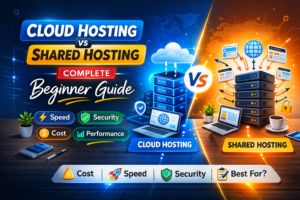
Web hosting is where your website’s files are stored and served to visitors. For beginners, shared hosting is the most affordable and easiest to manage.
Recommended options for beginners:
- Hostinger — best value for money
- Bluehost — best for WordPress sites
- SiteGround — best for speed and support
Most hosting providers offer a one-click WordPress installer, which makes the next step very straightforward.
Step 4: Install WordPress
WordPress powers over 40% of all websites on the internet. It is the most popular website building platform for a very good reason — it is flexible, beginner-friendly, and has thousands of themes and plugins.
To install WordPress:
- Log into your hosting control panel (cPanel)
- Find the WordPress installer (usually called Softaculous or similar)
- Click Install and follow the prompts
- Set your username and password
- Visit your domain and log in at yourdomain.com/wp-admin
Step 5: Choose a Theme
A WordPress theme controls how your website looks. There are thousands of free and premium themes available.
Good free themes for beginners:
- Astra — fast, lightweight, and highly customisable
- Kadence — beautiful design with excellent performance
- GeneratePress — minimalist and very fast
Premium themes with more features:
- Divi by Elegant Themes
- Avada
- OceanWP
Install your theme from the WordPress dashboard under Appearance, then Themes.
Step 6: Install Essential Plugins
Plugins add functionality to your WordPress site. Here are the must-have plugins for every new website:
- Yoast SEO or RankMath — for search engine optimisation
- WP Rocket or LiteSpeed Cache — for page speed
- Wordfence — for security
- UpdraftPlus — for automatic backups
- Contact Form 7 or WPForms — for contact forms
- Smush or ShortPixel — for image compression
Install plugins from the WordPress dashboard under Plugins, then Add New.
Step 7: Create Your Key Pages
Every website needs these core pages:
- Home — your main landing page with a clear headline and call to action
- About — who you are and what your site is about
- Contact — a form or email address for visitors to reach you
- Privacy Policy — required by law in many countries
- Blog — where you publish your articles
Step 8: Write and Publish Your First Blog Post
With your site set up, it is time to publish content. Go to Posts, then Add New in your WordPress dashboard. Write your first post, add an image, set your SEO title and meta description using your SEO plugin, and click Publish.
Step 9: Connect Google Tools
Before you start promoting your site, connect these two free Google tools:
- Google Search Console — tells Google your site exists and helps you monitor your rankings
- Google Analytics — shows you how many visitors you are getting and where they come from
Both are free and take less than 15 minutes to set up.
Step 10: Start Promoting Your Website
Publishing content is only half the work. You also need to drive traffic to your site.
Beginner-friendly ways to promote your website:
- Share posts on social media platforms
- Answer questions on Reddit and Quora with links to your articles
- Join Facebook groups in your niche
- Comment on other blogs in your industry
- Start building an email list from day one
Final Thoughts
Building a website in 2026 does not require coding skills or a big budget. Follow these ten steps and you will have a professional, fast, and search-engine-ready website up and running in a single weekend. The most important step is simply to start. You can always improve and refine as you go.
Written by